
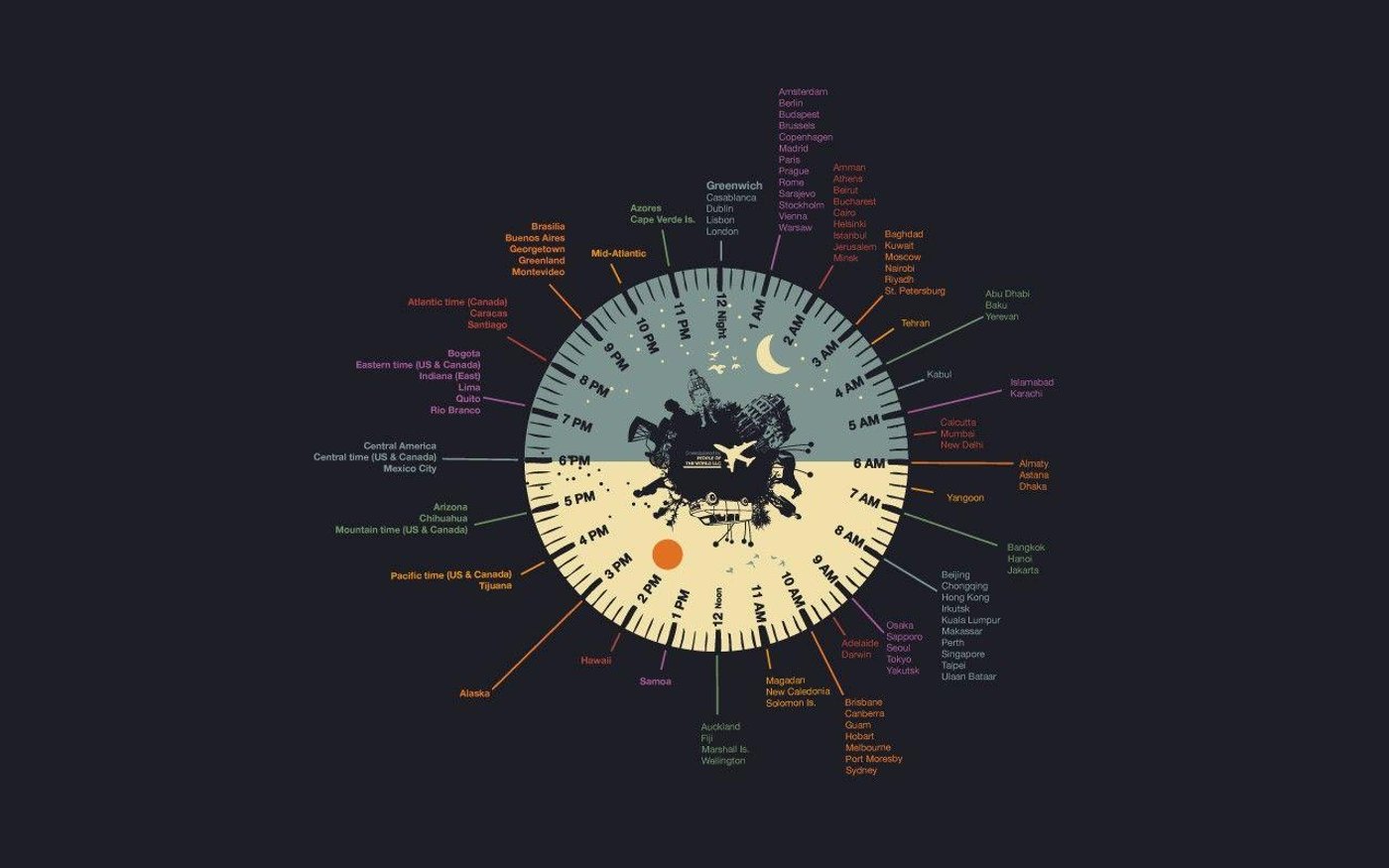
Stop Timezone Confusion for Good — Your Free World Clock Dashboard with Auto DST Sync
Picture this: you've carefully scheduled a Monday kick-off call with your development team in Bangalore, your sales lead in New York, and your regional director in Amsterdam. You show up on time. They don't — because one of them is still on last week's timezone offset, and nobody accounted for the weekend's Daylight Saving Time changeover in Europe.
This scenario plays out thousands of times every day across remote teams, trading floors, and international business meetings. Timezone confusion isn't just an inconvenience — it costs real money, damages client relationships, and quietly erodes trust in distributed teams.
That's exactly why we built the Global World Clock Dashboard by Clocks and Alarms Online — a free, precision-synced, browser-based tool that lets you track live local times across more than 7,000 cities, automatically adjusts for DST changes worldwide, and saves your personal timezone grid without requiring you to create a single account.
Whether you're a remote team manager, a Forex trader tracking market sessions, an international business coordinator, or a frequent flyer living across time zones — this tool was built for you.
Why Timezone Management is Harder Than You Think
Most people assume timezone math is simple: add or subtract a few hours and you're done. In reality, local time zones are a moving target — and Daylight Saving Time (DST) is the biggest culprit.
The DST Problem No One Talks About
DST doesn't happen on the same date everywhere. The United States and Canada spring forward and fall back on the second Sunday of March and the first Sunday of November respectively. The European Union transitions on the last Sunday of March and October. Most of Asia, Africa, and Latin America either don't observe DST at all — or follow their own national schedule entirely.
The result? A city that was 5.5 hours ahead of you on Friday can be 6.5 hours ahead on Monday. Generic clocks, calendar apps, and even some enterprise scheduling tools either lag behind these transitions or require manual correction. A single miscalculation during a DST window can cascade into missed deadlines, double-booked calls, or worse — a Forex trade executed at the wrong market session.
Remote Collaboration & the "3 AM Ping" Problem
The rise of distributed, asynchronous work has made international business coordination a daily challenge for managers. Without a reliable at-a-glance timezone reference, it's alarmingly easy to send a Slack message at what feels like a reasonable 10 AM — only to wake up a colleague in Sydney at 2 AM. Respecting colleagues' working hours isn't just good manners; it's foundational to sustainable remote culture.
Global Finance Runs on Local Time
For Forex traders and crypto investors, time is literally money. The four major trading sessions — Sydney, Tokyo, London, and New York — open and close at specific local times, and the highest volatility windows occur when sessions overlap. Missing a London-New York overlap by even 15 minutes because of a DST miscalculation can mean missing the day's best trading opportunity entirely.

Meet the Global World Clock Dashboard
The Clocks and Alarms Online World Clock solves all of the above in a single, clean interface. Here's what sets it apart from a basic Google search or phone clock:
- High-Precision Sync — Millisecond-accurate time pulled from global atomic time servers. No drift, no lag.
- 7,000+ Cities — Search any city, country, or timezone abbreviation (EST, IST, UTC, GMT+5:30, etc.).
- Automatic DST Adjustments — Powered by the official IANA Time Zone Database. The moment a country updates its DST policy, the dashboard reflects it — instantly and automatically.
- No Login Required — Your dashboard is saved to your browser's local storage. Build your personal timezone grid once; it's there every time you return.
- Cinema/Full-Screen Mode — Expand any clock card to a large, distraction-free display — perfect for a secondary monitor.
- Visual Day/Night Indicators — Sun and moon icons beneath each city name give you an instant read on whether it's working hours or the middle of the night there.
- Battery-Friendly — Optimized React rendering means the dashboard updates cleanly without heavy graphical repaints, so you can leave it running all day without draining your laptop.
Step-by-Step: How to Set Up Your World Clock Dashboard
Getting started takes under two minutes.
Step 1: Search and Add Your Cities
Navigate to clocksandalarmsonline.com/world-clock/ and use the intelligent search bar at the top of the grid. You can type:
- A city name (e.g., "Dubai", "Toronto", "Mumbai")
- A country name (e.g., "Japan", "Germany")
- A timezone abbreviation (e.g., "EST", "IST", "UTC", "PST")
The smart search recognizes all three formats. Click a result to instantly add that clock card to your grid.
Step 2: Read the Visual Cues
Once your clocks populate, take a moment to understand the display:
- The large digital time shows the current local time — updating live, every second.
- The timezone offset (e.g., UTC+5:30) appears beneath the city name, so you can do quick mental math when needed.
- The sun or moon icon tells you at a glance whether the city is in daytime or nighttime — no mental calculation required.
This visual layer makes the dashboard far faster to read than a list of numbers, especially when you're monitoring six or more cities simultaneously.
Step 3: Use Full-Screen / Cinema Mode
Click the expand icon in the corner of any clock card to enter full-screen mode. This enlarges that single city's clock to fill your entire screen — ideal for:
- Mounting on a secondary monitor as a dedicated time display
- Presentations or team meetings where you want everyone to see a single reference time
- Traders watching a specific market session open in real-time
Press Escape or click the icon again to return to the full dashboard grid.
Step 4: Trust the Auto-Save
Once you've built your perfect timezone grid, you're done. The dashboard uses your browser's local storage to save your selected cities automatically. No account, no email, no password. Every time you open the URL, your full grid loads instantly — exactly as you left it.
Note: Clearing your browser's cache or browsing data will reset the saved cities. If you use multiple devices, simply spend two minutes rebuilding your grid on each browser.
Pro Tips for Maximum Productivity
For Remote Team Managers
Keep the World Clock Dashboard open on a dedicated secondary monitor as your "Command Center." Before sending any message or scheduling any meeting, glance at your grid. You'll immediately know whether São Paulo is in business hours, whether Berlin is still at lunch, and whether Singapore has already signed off for the day.
For Forex & Crypto Traders
Pin these four cities to your dashboard and never miss a session again:
- Sydney — Asia-Pacific session open
- Tokyo — Asian session peak
- London — European session and the day's biggest liquidity window
- New York — US session, and the London-NY overlap (the most volatile window of the trading day)
With all four live on your screen, you'll always know exactly which markets are active and which overlaps are in play.
For International Business Coordinators
Add your top client cities alongside your own office locations. Before hitting "Send" on that RFP or firing off a contract revision, a quick look at the dashboard tells you whether your contact in Tokyo is even awake to receive it — and whether a follow-up call this afternoon is reasonable.
For Families & Frequent Travelers
Pin your home city alongside every destination or family member's location. Calling home becomes effortless when you can see at a glance that it's Sunday morning in Chennai and Saturday evening in Los Angeles — no math required.
Frequently Asked Questions
How accurate is the World Clock Dashboard? The dashboard syncs with global atomic time servers for millisecond-level accuracy. Your displayed time is precisely as accurate as your internet connection allows — typically within a fraction of a second of true atomic time.
Does it automatically handle Daylight Saving Time transitions? Yes — this is one of the dashboard's core strengths. It pulls from the official IANA Time Zone Database, the same authoritative source used by major operating systems and programming languages worldwide. The moment any country's DST law takes effect, the tool reflects it without any action on your part.
Will it drain my laptop battery? No. The dashboard uses optimized React rendering that updates text nodes without triggering expensive graphical repaints. You can safely leave it running in a background tab or on a secondary screen all day without a noticeable impact on battery life.
Can I use it on mobile? Yes — the interface is fully responsive and works on smartphones and tablets. For daily power use, though, a desktop or laptop browser offers the best experience, especially when monitoring multiple cities simultaneously.
Start Tracking Your World — Right Now
Timezone confusion is one of those invisible productivity drains that most professionals just accept as "part of working globally." It doesn't have to be.
The Global World Clock Dashboard by Clocks and Alarms Online gives you a free, always-accurate, beautifully simple solution: live local time zones for every city that matters to you, automatic Daylight Saving Time sync, and a personal grid that's ready the moment you open your browser.
→ Set up your free World Clock Dashboard now — no login, no download, no hassle. Just bookmark it and you're done.
Stop guessing. Start syncing.
Also explore our Meeting Planner to find the perfect overlap window across time zones, and our DST Tracker to stay ahead of upcoming Daylight Saving Time changes worldwide.