

Never Miss a Public Holiday: The Ultimate Guide to Tracking Paid Leaves, Bank Holidays, and Long Weekends Automatically
We have all experienced that sudden mid-week moment of curiosity or exhaustion: "How many days are left until the next public holiday?"
Whether you are grinding through an intense sprint at work, managing a complex remote project across different time zones, or simply daydreaming about a beach getaway, knowing your upcoming leave dates is essential. Having something to look forward to boosts mental health, increases focus, and gives us a clear goal on our calendars.
However, actually tracking those holidays is often far more frustrating than it needs to be. You search online for "upcoming bank holidays," click on outdated websites, scroll through confusing tables, and manually verify if a holiday falls on a weekend or a weekday. Worse yet, if you work in an international company or live as an expat, keeping track of different national calendars can feel like a full-time job.
What if you could open a single web page and instantly see a live, down-to-the-second countdown to your next official public holiday—tailored automatically to your exact location?
That is precisely why the Holiday Countdown (opens in a new tab) tool was built. In this comprehensive guide, we will explore why automated holiday tracking is a game-changer, how integrating live API data from Calendrific guarantees precision, and how you can use strategic leave-planning hacks to turn a handful of PTO days into multiple long weekends throughout the year.
The Problem with Manual Holiday Tracking
Before looking at modern digital solutions, it is worth examining why traditional methods of tracking public holidays fail so often.
1. The Inaccuracy of Generic Online Lists
Search engine results are filled with static articles listing public holidays. Many of these articles are written years in advance, rarely updated, and often miss last-minute government declarations or regional changes. Relying on an outdated web page can result in missed travel bookings, unexpected office closures, or misaligned project deadlines.
2. Regional and State-Level Variations
In many countries, public holidays are not uniform across the entire nation. States, provinces, or territories frequently observe distinct regional holidays, religious observances, or civic events. Generic holiday calendars usually list national holidays only, completely ignoring the state-level days off that apply specifically to your local city.
3. The Complexity of Global Remote Work
The modern workforce is more distributed than ever. You might live in New York, while your engineering team works in London, your product designer is based in Tokyo, and your marketing team resides in Sydney. Expecting team members to memorize or manually cross-reference four different national calendars inevitably leads to missed meetings, delayed sign-offs, and frustrated colleagues.
4. The "Mid-Week Holiday" Confusion
When a public holiday lands on a Tuesday or a Thursday, it creates a gap day. Without a clear visual calendar or countdown, many employees forget to request that single bridge day off in advance, missing out on a continuous four-day break.
Introducing the Holiday Countdown Tool
Our Holiday Countdown (opens in a new tab) takes the guesswork out of vacation planning by delivering an automated, personalized, and real-time holiday tracking experience directly in your browser.
Instead of forcing you to select your country from an endless dropdown menu or manually configure your calendar preferences, the tool gets to work the moment the page loads.
Core Features That Make It Effortless:
- Automatic Location Detection: The tool instantly identifies your local country as soon as you visit the page, tailoring the display to your immediate geographic region without requiring any manual setup.
- Powered by Calendrific API: To guarantee absolute accuracy, the underlying engine connects directly to Calendrific API endpoints. Calendrific is an industry-leading, enterprise-grade holiday database that tracks official public holidays, bank holidays, regional observances, and national events across more than 230 countries and territories worldwide.
- Millisecond-Accurate Live Timer: Watch a dynamic countdown timer tick down the exact days, hours, minutes, and seconds remaining until your next official day off begins.
- Full Annual Schedule View: Beyond just the immediate next holiday, you get a clean, chronologically organized list of every remaining public holiday scheduled for the rest of the year.
- Zero Registration or Installs Required: The tool is completely free, lightweight, and accessible from any desktop browser, tablet, or smartphone without signing up for an account.
How the Engine Works: Behind the Scenes with Calendrific
Accuracy is the most critical aspect of any schedule tracking software. A holiday tracker is only useful if the data behind it is 100% reliable. That is why we chose to integrate Calendrific API as the core data engine for the Holiday Countdown (opens in a new tab).
Why Calendrific API?
Calendrific is built specifically to solve the massive headache of global date manipulation and holiday tracking. Here is how relying on Calendrific endpoints elevates the experience:
- Real-Time Government Updates: When a country’s government announces an emergency public holiday (such as a national day of mourning, a sports victory celebration, or an updated election day), static web pages fail. Calendrific updates its database endpoints in real time, ensuring that the countdown tool always reflects true official schedules.
- Deep Local Coverage: Calendrific provides comprehensive data covering national, federal, state, religious, and cultural observances. Whether it is a bank holiday in the UK, a federal holiday in the United States, or a regional state holiday in Germany or India, the API returns complete details.
- Time Zone and Rule Normalization: Calculating when a holiday officially "starts" across different international time zones is mathematically complex. Calendrific normalizes dates against localized time standards, ensuring that your live countdown timer ticks down to midnight in your exact local time zone.
By combining browser-based location detection with Calendrific’s robust API infrastructure, the Holiday Countdown (opens in a new tab) gives you enterprise-level accuracy in a simple, consumer-friendly interface.
Step-by-Step Guide: How to Use the Holiday Countdown Tool
Using the tool is quick and intuitive. Here is how you can use it to streamline your personal and professional life in four quick steps:
Step 1: Open the Live Tracker
Navigate directly to the Holiday Countdown (opens in a new tab) page on any device. There is no need to log in, clear cookies, or configure region settings. Your local location will be detected automatically, and your country's upcoming holiday schedule will load instantly.
Step 2: Check Your Primary Live Countdown
At the top of the interface, you will see your primary focus card: the very next official public holiday on your calendar. Prominently displayed is a live digital clock showing the exact time remaining down to the second.
- Use Case: Keep this tab open on a secondary monitor during busy workdays as a constant visual reminder of your upcoming break!
Step 3: Review the Remaining Annual Schedule
Scroll down below the main countdown clock to explore the chronological holiday list for the rest of the year. Each card displays:
- The official name of the holiday.
- The exact calendar date and day of the week it falls on.
- A brief description of what the holiday represents.
- The number of days remaining until that specific date arrives.
Step 4: Apply the "Bridge Day" PTO Hack
Examine the day of the week for each upcoming holiday. This is where strategic vacation planning happens!
If you notice a holiday falling on a Tuesday, request the preceding Monday as a Paid Time Off (PTO) day. If a holiday falls on a Thursday, request the following Friday off. By spending just one day from your annual PTO allowance, you unlock a continuous four-day mini-vacation.
The Strategic Guide to Vacation Hacking: Maximize Your PTO
Most full-time professionals receive a limited number of Paid Time Off (PTO) days each year—typically ranging between 10 to 25 days depending on their country and company policy. However, smart planners know that when you take your leave matters far more than how many days you have.
By combining official public holidays with strategically placed leave days, you can easily double your continuous time off work.
Strategy 1: The Four-Day Sandwich (1 PTO Day = 4 Days Off)
- The Setup: A public holiday falls on a Thursday (e.g., Thanksgiving in the US or Ascension Day in Europe).
- The Move: Request Friday off as a single PTO day.
- The Result: You get Thursday, Friday, Saturday, and Sunday off continuously while only using 1 day of annual leave.
Strategy 2: The Nine-Day Megabreak (4 PTO Days = 9 Days Off)
- The Setup: A public holiday falls on a Monday or a Friday.
- The Move: If the holiday is on a Monday, take Tuesday, Wednesday, Thursday, and Friday off. Combined with the two surrounding weekends, you get 9 consecutive days of vacation.
- The Result: Nine full days of travel, relaxation, or deep rest while deducting only 4 days from your PTO balance.
Strategy 3: The Holiday Cluster Jackpot (3 PTO Days = 10+ Days Off)
- The Setup: Certain times of the year feature multiple holidays grouped closely together—such as Easter (Good Friday and Easter Monday), Christmas and New Year's, or Golden Week celebrations in Asia.
- The Move: Identify the working days trapped between these holiday clusters using the Holiday Countdown (opens in a new tab) list and book those specific gaps off well in advance.
- The Result: Extended international trips that require less than half the usual PTO expenditure.
Practical Applications for Different User Groups
The utility of a real-time, API-driven holiday tracker extends far beyond personal vacation planning. Here is how different groups benefit from keeping this tool bookmarked:
For Remote Workers and Distributed Teams
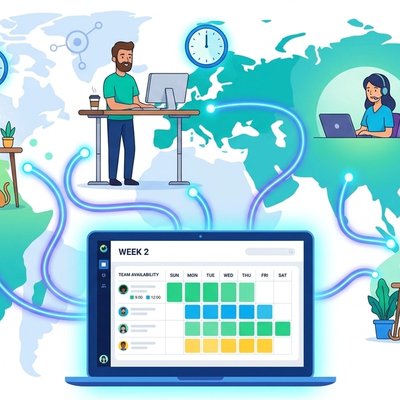
When team members are spread across continents, keeping track of availability can be challenging. By using the Holiday Countdown (opens in a new tab), managers and team leads can instantly verify if a colleague in another country is on an official holiday before assigning urgent tasks or setting delivery deadlines.
For HR Professionals and People Managers
Human Resource departments often deal with last-minute leave requests when employees suddenly realize a holiday is approaching. Encouraging employees to check upcoming national leave schedules proactively leads to better-distributed vacation requests, smooth shift coverage, and reduced burnout.
For Freelancers and Agency Contractors
Freelancers do not get traditional paid leave; time off means no billable hours. Tracking public bank holidays allows contractors to budget their income accurately, inform clients of upcoming unavailability well in advance, and schedule non-client administrative work during quiet holiday periods.
For Expats and Immigrants Living Abroad
Living in a new country means learning a completely new set of national traditions, religious holidays, and civic observances. The tool helps expats seamlessly adjust to their host country's cadence, ensuring they never miss bank closures, public transit schedule changes, or local festival weekends.
Complete Your Productivity Setup with Our Free Time Suite
Accurate time management and holiday planning go hand in hand with maintaining daily productivity. Explore how our other free web tools complement your workflow:
- Global Meeting Planner (opens in a new tab): Need to sync up with your international team before going on leave? Use our visual availability matrix to find the perfect overlap across multiple time zones without manual math.
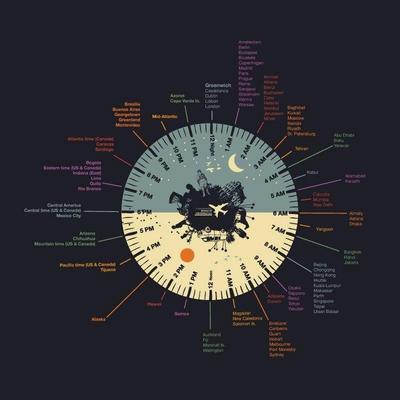
- World Clock (opens in a new tab): Stay aware of live local times in major business hubs worldwide, complete with instant search and clean display cards.
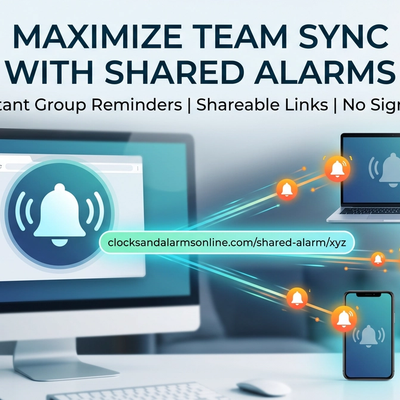
- Shared Alarm (opens in a new tab): Need to ensure your remote team wakes up or joins a critical launch at the exact same moment across different locations? Create a synchronized multi-person alarm link in seconds.
- Timer & Stopwatch Suite (opens in a new tab): Maintain high daily focus using zero-drift productivity timers, lap stopwatches, and customized interval counters before clocking out for your well-earned holiday.
Frequently Asked Questions (FAQ)
How does the tool know my country automatically?
The tool uses secure, non-intrusive IP geolocation to identify your geographic country when the page loads. It immediately matches your region against the Calendrific API database to display relevant local public holidays.
Can I look up holidays for a different country?
Yes! While the tool defaults to your current location for convenience, you can easily select any country from the supported list to view upcoming national holidays, regional bank leaves, and official observances worldwide.
Is the holiday data kept up to date?
Absolutely. Because data is fetched live from Calendrific API endpoints, any official updates, government shifts, or newly declared national holidays are automatically reflected without requiring manual site maintenance.
Does the countdown account for my local time zone?
Yes. The live timer calculates the exact remaining time based on your local system clock and time zone offset, ensuring that the countdown reaches zero precisely when midnight strikes on the holiday date in your location.
Is the Holiday Countdown tool free to use?
Yes, 100% free. There are no paywalls, premium tiers, sign-up forms, or hidden subscriptions. You can bookmark the tool and use it as often as you like on all your devices.
Start Counting Down to Your Next Day Off Today!
Life is too short to spend it doing manual calendar calculations or stressing over missed leave opportunities.
Whether you are trying to coordinate project handoffs with an international team, planning a weekend road trip, or simply counting down the hours until a long-deserved break, automated holiday tracking gives you absolute clarity and peace of mind.
Stop guessing when your next break is. Visit the Holiday Countdown (opens in a new tab) right now, check your live time remaining, and start planning your next vacation like a pro!